
RTO automation software
Stop doing by hand what software can do for you. Automate enrolment, reminders, reporting and certificates, so your team spends time on training, not data entry.
Turn manual admin into one connected flow
Capture data once and let the platform do the repetitive work: automated emails, generated NAT files and issued certificates, all from the same record.
Enrol
Capture students from enquiry through to enrolment: USI, eligibility, contact and demographic detail, all in one record.
Deliver & track
Students learn on the platform while progress, attendance and outcomes record as you go, so nothing has to be reconstructed later.
Validate
Generate AVETMISS 8.0 NAT files and check them against NCVER’s validation rules before you submit, so errors surface early.
Submit
Export clean, validated NAT files ready for AVS and your state training authority.
Set it once, then stop remembering
The jobs that get forgotten at 4:55pm on a Friday are the ones that should not need a human. Configure the trigger once and it runs on its own.
Session reminders
Go out 24 hours before class to every booked student and the assigned trainer, without anyone remembering to send them.
Certificates issue themselves
Once a student is competent and the USI and AVETMISS checks pass, the certificate issues — no one has to notice and press a button.
Event-driven notifications
Enrolment confirmations, booking confirmations, assessment outcomes, completions, withdrawals and expiring deposits all fire off the event itself.
You choose what sends
Automations are configured per trigger and then run hands-off. Nothing emails your students that you did not switch on.
AI assists, humans decide
AI drafts assessment questions, parses uploads and suggests competency mappings. It never marks a student and never decides competency.
Instant objective marking
Multiple choice, drag-and-drop and matching mark themselves against your answer key — deterministic scoring, not AI judgement.
Built for the way RTOs actually work
Real screens from a live account, so you can see exactly what the platform can do. No mockups.
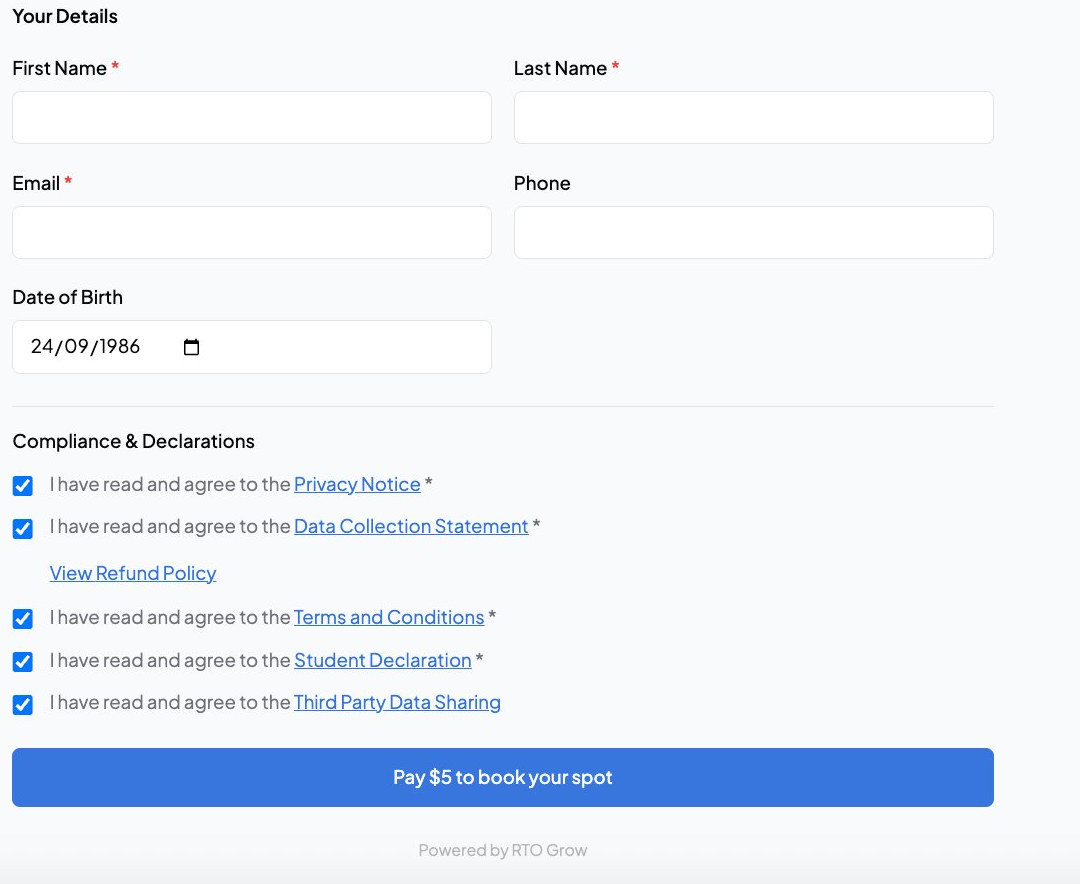
Online enrolment forms
Students complete enrolment online, and the data flows straight into their student record. No re-typing.
- Customisable per course and delivery
- USI, eligibility and demographics captured
- Flows into student record automatically
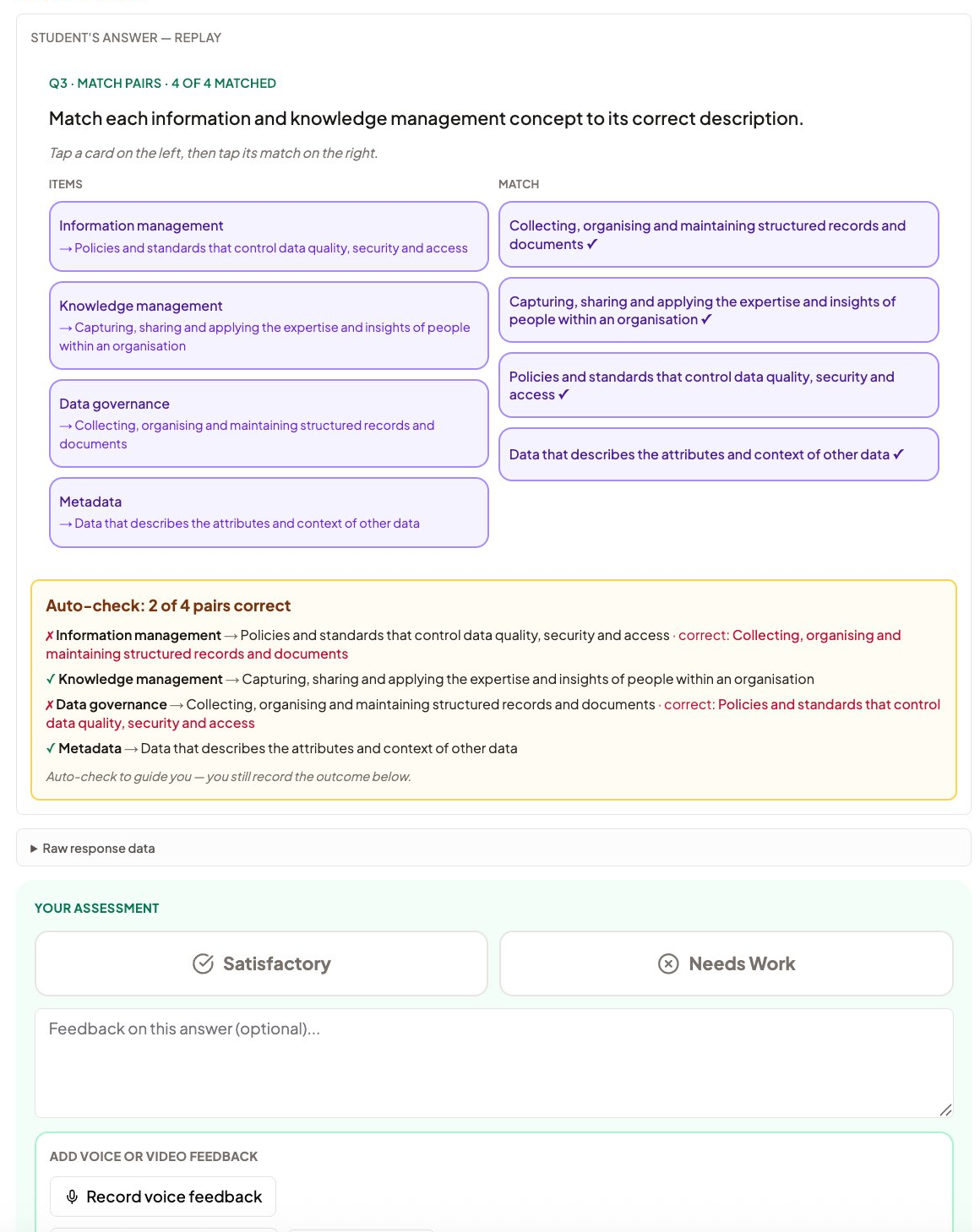
Assessment marking with mapping
Trainers see exactly what each question maps to as they mark. Auto-check guides objective questions; the trainer records the outcome.
- Mapping shown on every question
- Auto-check guides, does not decide
- Competency judgement stays with the trainer
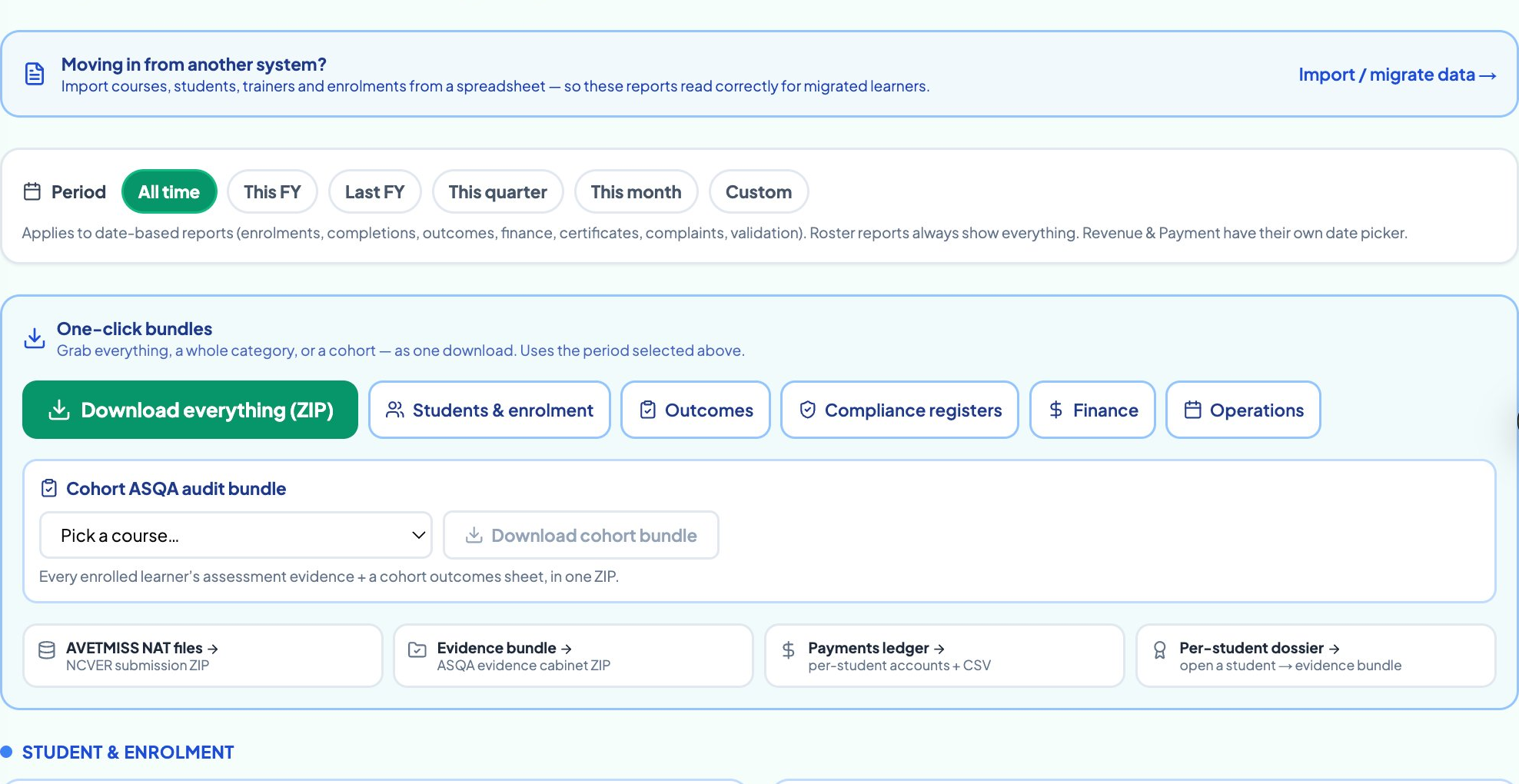
AVETMISS reporting in one click
Generate AVETMISS 8.0 NAT files from the data you already capture. Validated against NCVER rules before you submit.
- NAT files generated from your student data
- Validated against current NCVER rules
- Export ready for AVS or your state authority
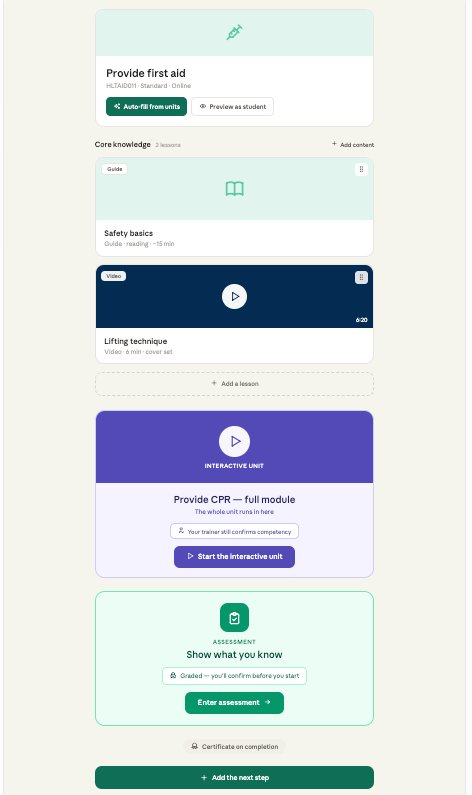
Course creation from TGA units
Pull the unit from training.gov.au, draft your learner guide and assessments as a starting point, then review and publish.
- Pull units straight from training.gov.au
- AI-drafted learner guides you edit and own
- Deliver and report from the same course
Automate the busywork out of your RTO
Book a demo and see how much of your weekly admin the platform can take off your plate.
Or call us on 1800 719 879
Pick a time that works for you
30 minutes on your own units. No sales pitch, just a real look at the platform.
Loading free times…
RTO automation software, answered
RTO Grow is an independent software provider. We are not affiliated with, endorsed by, sponsored by, or approved by NCVER or ASQA. AVETMISS™ is a trademark of the National Centre for Vocational Education Research (NCVER).