
The software behind your RTO compliance
RTO Grow captures the data your compliance work needs and keeps a clean, audit-ready record of it. You stay in charge of compliance; the software makes sure the evidence is always there.
Capture the evidence as you go, not at audit time
RTO Grow records delivery, assessment and outcomes as they happen and keeps them against each enrolment, so the evidence assembles itself.
Enrol
Capture students from enquiry through to enrolment: USI, eligibility, contact and demographic detail, all in one record.
Deliver & track
Students learn on the platform while progress, attendance and outcomes record as you go, so nothing has to be reconstructed later.
Validate
Generate AVETMISS 8.0 NAT files and check them against NCVER’s validation rules before you submit, so errors surface early.
Submit
Export clean, validated NAT files ready for AVS and your state training authority.
The evidence an auditor actually asks for
Compliance evidence is captured as delivery happens, so the audit trail is a by-product of running your RTO rather than a reconstruction exercise the week ASQA calls.
Version-pinned assessment tools
Every published version is stored as an immutable snapshot with an approval record. Each attempt is pinned to the version in force when the student sat it.
Signed assessor declarations
Every marking decision is captured append-only with the assessor's identity, timestamp, outcome and a signed declaration — enforced by the database, not by policy.
Seven-year evidence retention
Evidence is retained for seven years then automatically archived, never deleted, on a schedule aligned with the Privacy Act 1988 (Cth).
One-click ASQA bundles
Cohort bundle, per-student dossier, per-trainer audit file, ASQA delivery report, or a full-RTO export — ready to hand over.
Validation register
Record validation meetings with scope, panel, action items and next-review dates, and export the register for audit.
Superseded units flagged
Superseded units are flagged on the enrolment, and units that are deleted or expired are blocked from new enrolment outright.
Built for the way RTOs actually work
Real screens from a live account, so you can see exactly what the platform can do. No mockups.
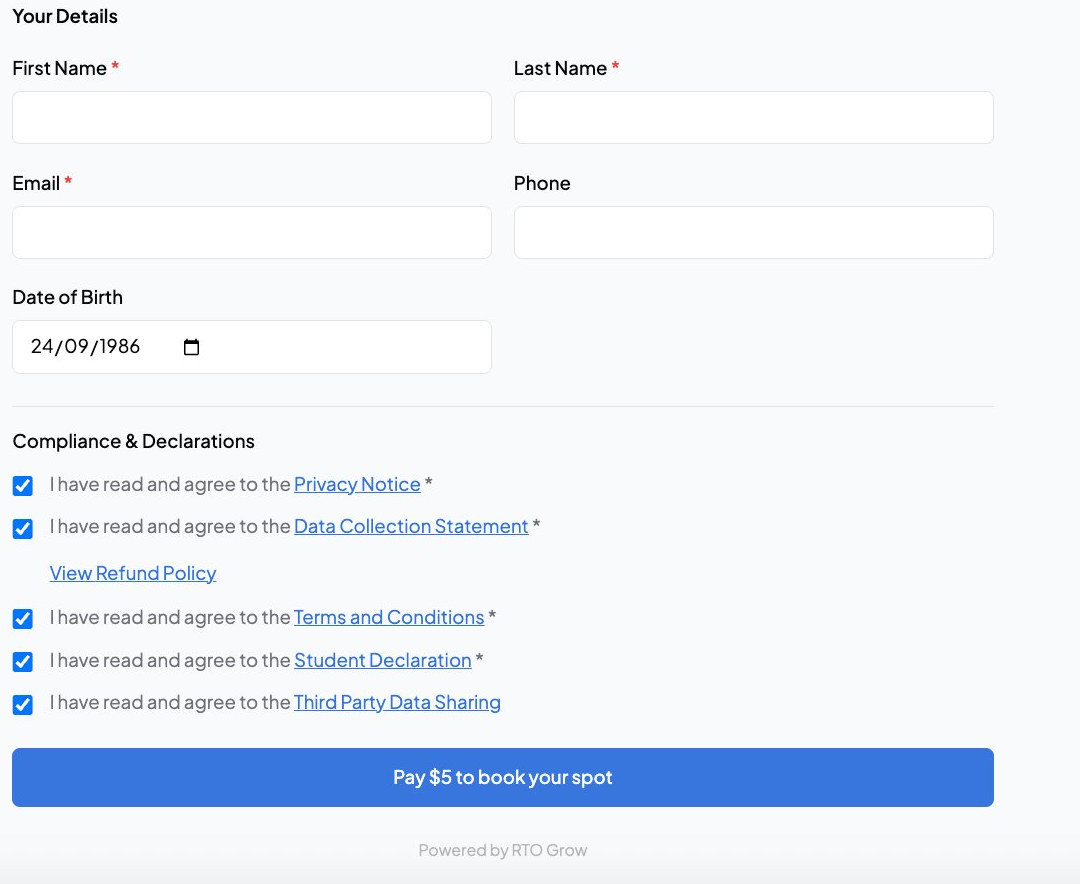
Online enrolment forms
Students complete enrolment online, and the data flows straight into their student record. No re-typing.
- Customisable per course and delivery
- USI, eligibility and demographics captured
- Flows into student record automatically
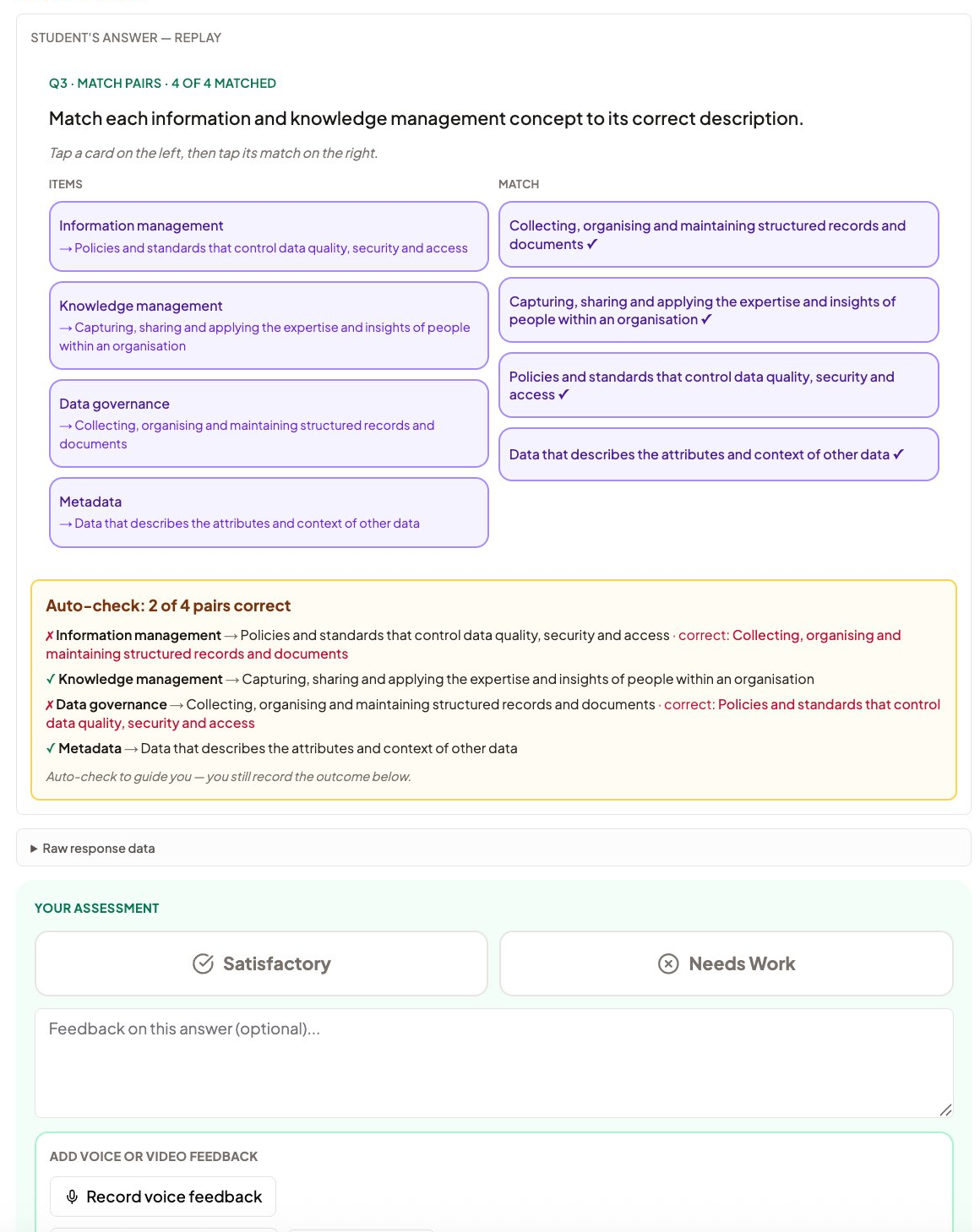
Assessment marking with mapping
Trainers see exactly what each question maps to as they mark. Auto-check guides objective questions; the trainer records the outcome.
- Mapping shown on every question
- Auto-check guides, does not decide
- Competency judgement stays with the trainer
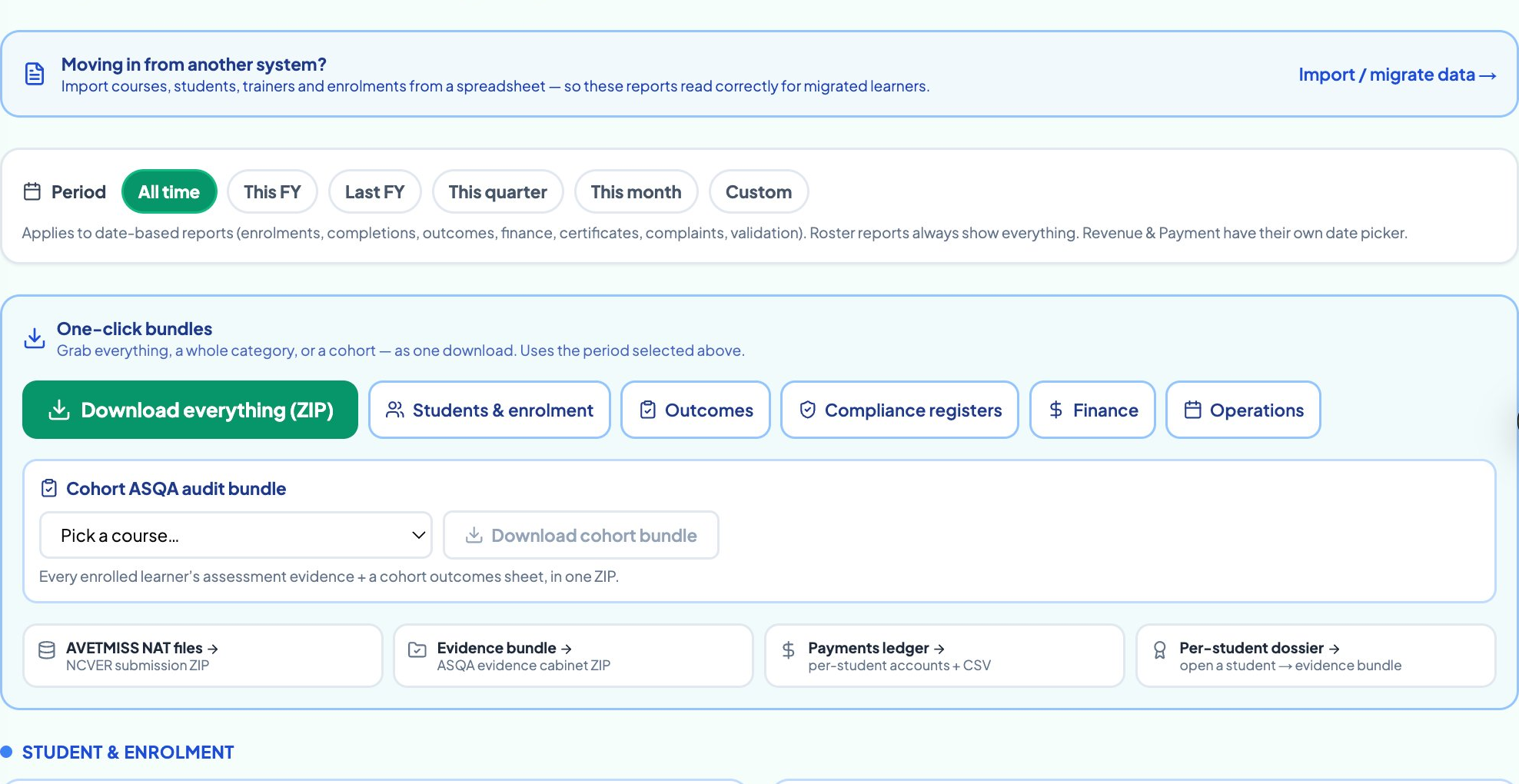
AVETMISS reporting in one click
Generate AVETMISS 8.0 NAT files from the data you already capture. Validated against NCVER rules before you submit.
- NAT files generated from your student data
- Validated against current NCVER rules
- Export ready for AVS or your state authority
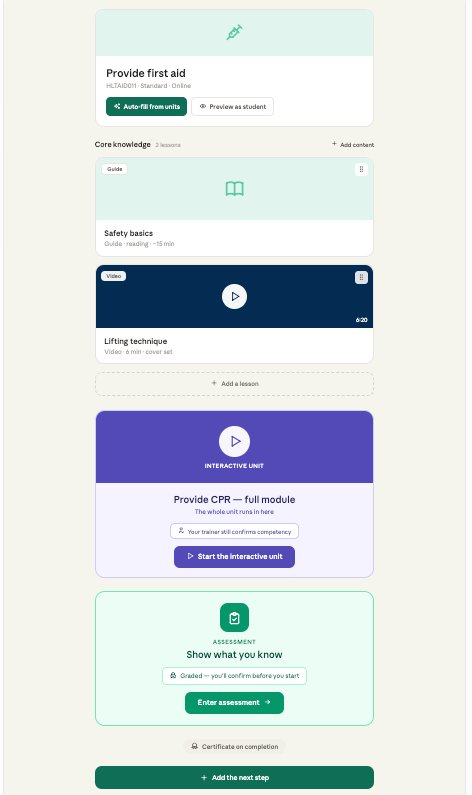
Course creation from TGA units
Pull the unit from training.gov.au, draft your learner guide and assessments as a starting point, then review and publish.
- Pull units straight from training.gov.au
- AI-drafted learner guides you edit and own
- Deliver and report from the same course
Keep your evidence ready before anyone asks for it
Book a demo and see how delivery and assessment data become an audit-ready record automatically.
Or call us on 1800 719 879
Pick a time that works for you
30 minutes on your own units. No sales pitch, just a real look at the platform.
Loading free times…
RTO compliance software, answered
RTO Grow is an independent software provider. We are not affiliated with, endorsed by, sponsored by, or approved by NCVER or ASQA. AVETMISS™ is a trademark of the National Centre for Vocational Education Research (NCVER).