
Non-accredited now. Accredited later. Same platform.
Delivering non-accredited short courses while your ASQA application works its way through? Set up your certificates the way you actually run your business today, and the platform is already built for accredited delivery, units, USI, AVETMISS, for the day your registration comes through.
Pick the mode per course. The platform enforces the rest.
Set each course to Automatic or Hold for admin review, a straight choice, not a maze of settings.
Automatic
The certificate generates the moment every unit is marked competent. Right for computer-marked, low-risk, non-accredited content where students expect an instant result.
Hold for admin review
The certificate sits in an admin queue until someone checks it and approves. Right for anything where you want a human to confirm enrolment, marking and payment first, exactly the check experienced RTO managers recommend before issuing AQF documents.
USI gate (accredited courses only)
Automatically enforced, not a setting you can turn off: a nationally recognised course's certificate will not issue until the student's USI is verified, whichever mode you've chosen.
30-day issuance countdown
Every certificate sitting in the review queue shows a live countdown against your issuance window, turning amber as the deadline approaches and flagging anything overdue. Nothing quietly gets forgotten.
The moment you're delivering a nationally recognised course, a second gate applies automatically: no certificate issues until the student's USI is verified, no matter which mode you've picked. You don't have to remember this rule, the platform enforces it.
Deliver non-accredited today, add accredited without switching systems
Non-accredited short courses and nationally recognised qualifications are two different delivery modes inside the same platform, not two products.
Two issuance modes, your choice per course
Automatic for instant certs, or hold for admin review, set per course, not locked platform-wide.
30-day issuance countdown
A live deadline tracker on every certificate awaiting review, so nothing sits unissued and unnoticed.
USI verification gate
Built into the certificate pipeline for nationally recognised courses, enforced automatically, not a manual checklist item you have to remember.
Non-accredited and accredited in one platform
Start with short courses today; when your ASQA registration lands, add qualifications and units on the same student records, same platform, same login.
AVETMISS 8.0 ready when you need it
NAT file generation and validation is already built in, it just isn't relevant until your first accredited enrolment. No separate system to bolt on later.
One student record throughout
A student who does a short course with you today and your first accredited course next year has one continuous record, nothing to migrate.
Built for the way RTOs actually work
Real screens from a live account, so you can see exactly what the platform can do. No mockups.
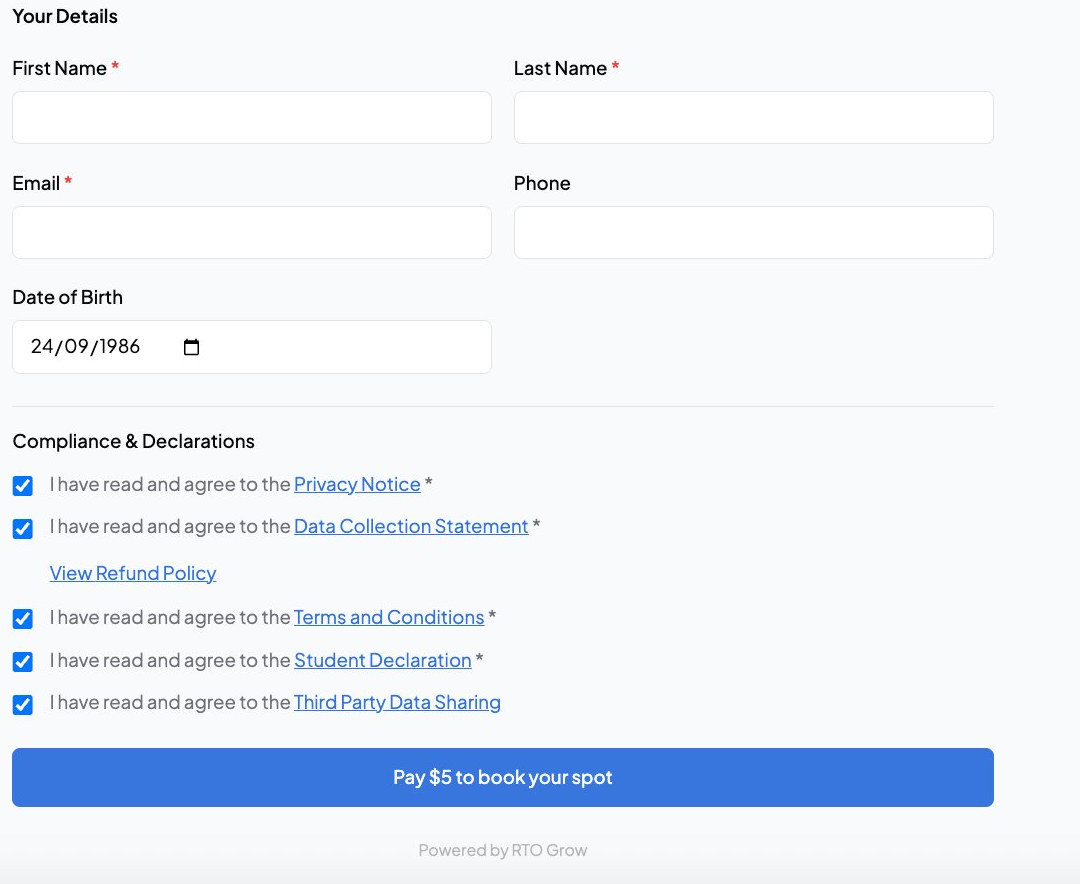
Online enrolment forms
Students complete enrolment online, and the data flows straight into their student record. No re-typing.
- Customisable per course and delivery
- USI, eligibility and demographics captured
- Flows into student record automatically
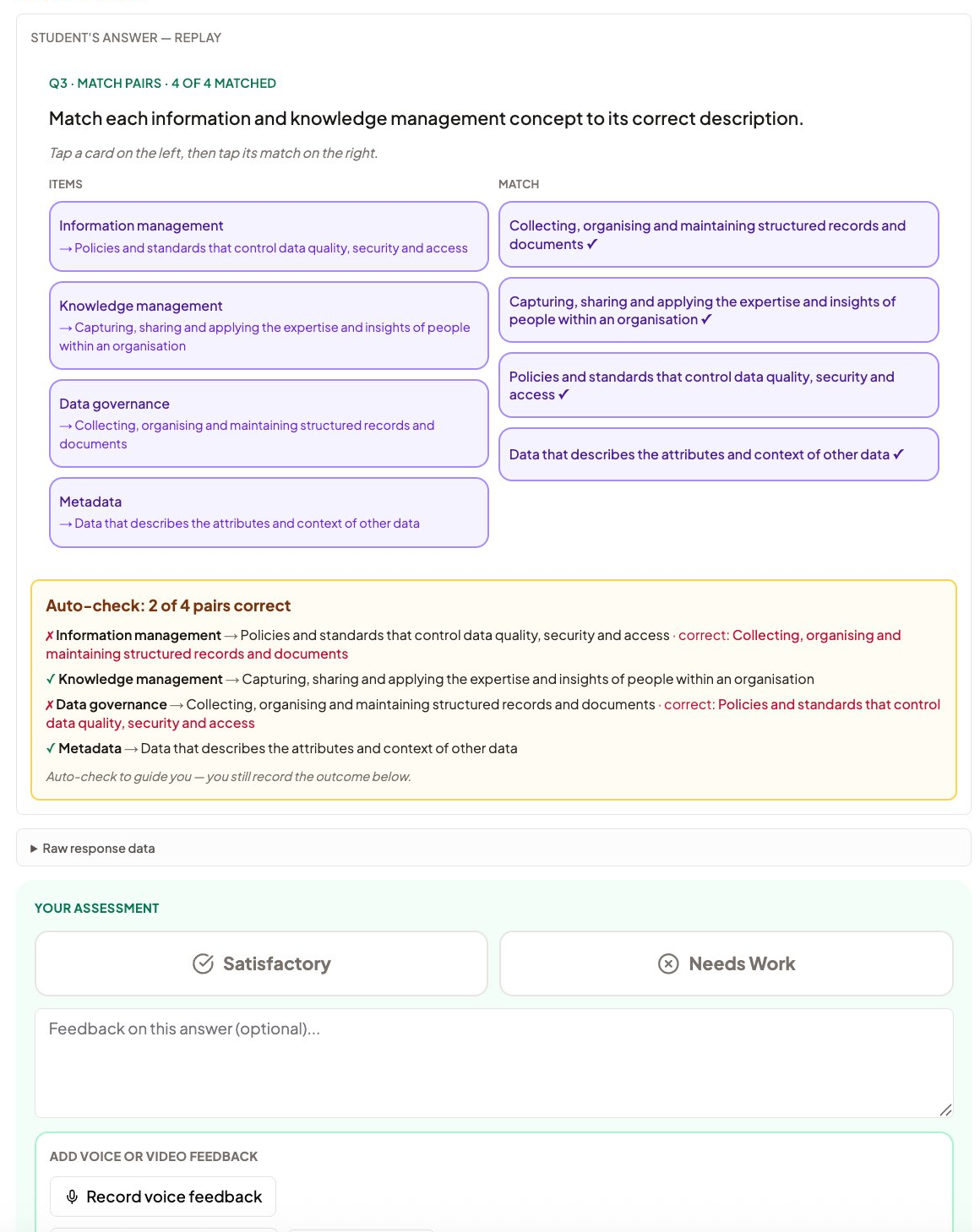
Assessment marking with mapping
Trainers see exactly what each question maps to as they mark. Auto-check guides objective questions; the trainer records the outcome.
- Mapping shown on every question
- Auto-check guides, does not decide
- Competency judgement stays with the trainer
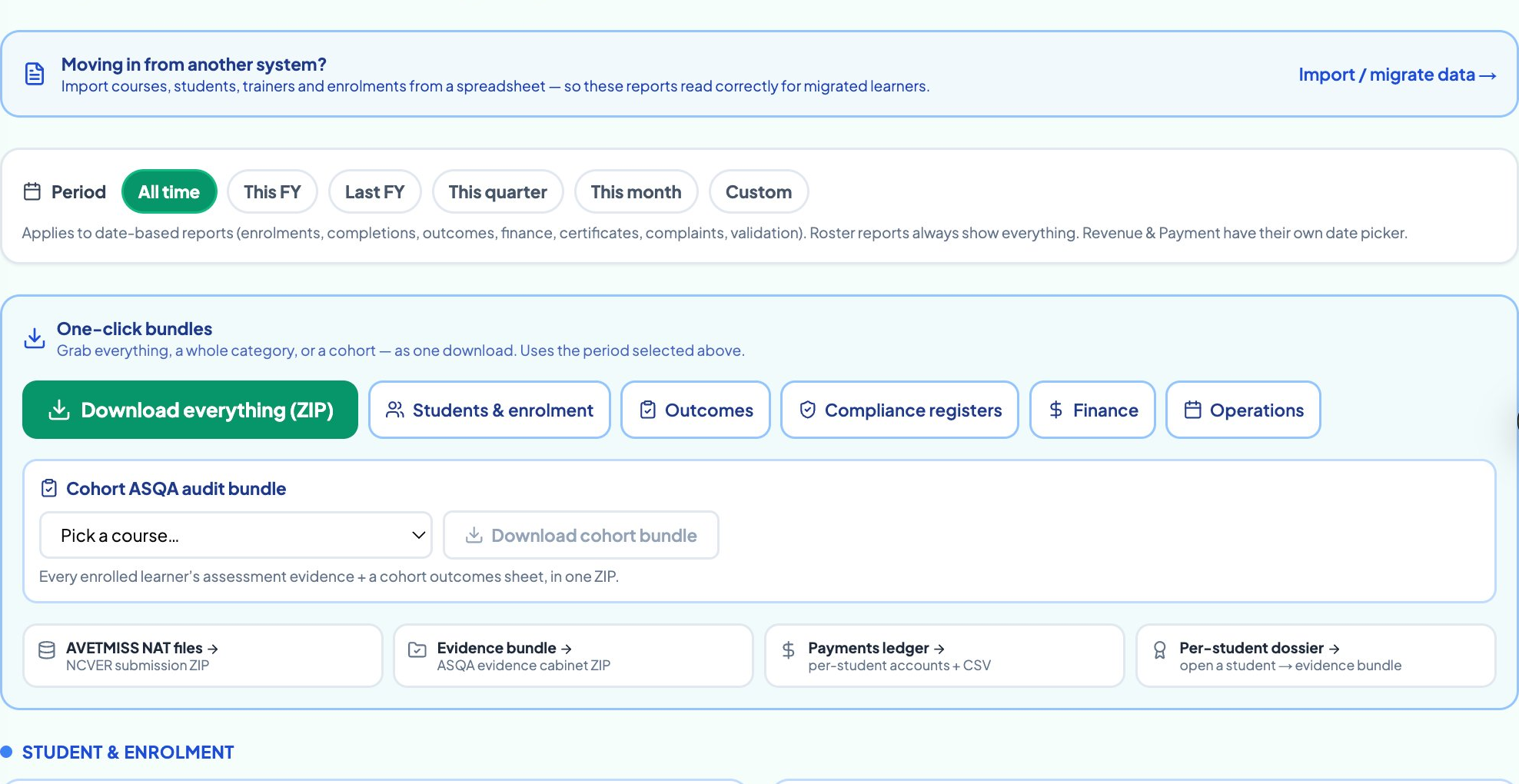
AVETMISS reporting in one click
Generate AVETMISS 8.0 NAT files from the data you already capture. Validated against NCVER rules before you submit.
- NAT files generated from your student data
- Validated against current NCVER rules
- Export ready for AVS or your state authority
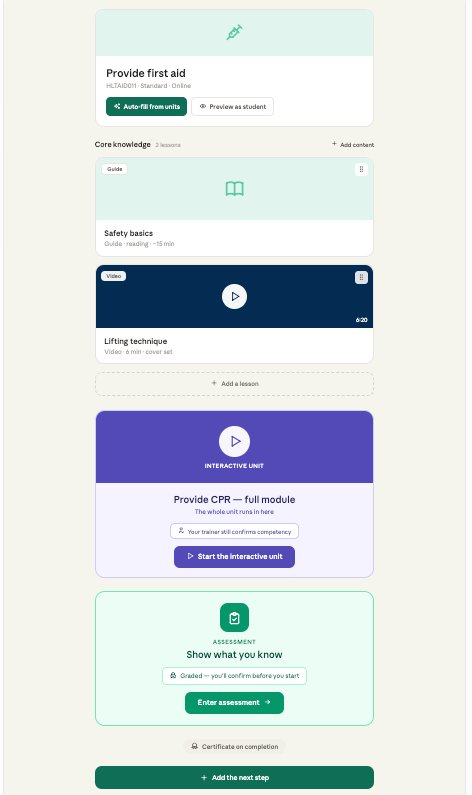
Course creation from TGA units
Pull the unit from training.gov.au, draft your learner guide and assessments as a starting point, then review and publish.
- Pull units straight from training.gov.au
- AI-drafted learner guides you edit and own
- Deliver and report from the same course
Set your certificate rules in a 15-minute demo
Bring your actual question, instant vs. reviewed, non-accredited today vs. accredited next year, and we'll show you exactly how it's configured.
Or call us on 1800 719 879
Pick a time that works for you
30 minutes on your own units. No sales pitch, just a real look at the platform.
Loading free times…
Certificate timing and the road to accreditation, answered straight
RTO Grow is an independent software provider. We are not affiliated with, endorsed by, sponsored by, or approved by NCVER or ASQA. AVETMISS™ is a trademark of the National Centre for Vocational Education Research (NCVER). Nothing on this page is legal or compliance advice, confirm your certificate issuance obligations against the 2025 Standards for RTOs and your own compliance advisor.